In! I'm live in the Lounge with the new level, come watch me lose
S
samToday at 7:05 PM
@robin can you bring the spare controller? Details in #planning
R
robinToday at 7:06 PM
On it. See you all at 8
3
dana is typing…
Message #generalSend
Online — 4
Ddana
AalexLIVE
Rrobin
Ssam
Offline — 2
Jjo
Kkit
Try a theme:
Features
Everything your group needs to hang out
Text channels for the plans, voice for the evenings, and screen sharing for showing everyone that thing. It feels familiar from the first click.
Text chat
Servers with channels and categories, set up the way your group talks.
Private channels, roles and permissions
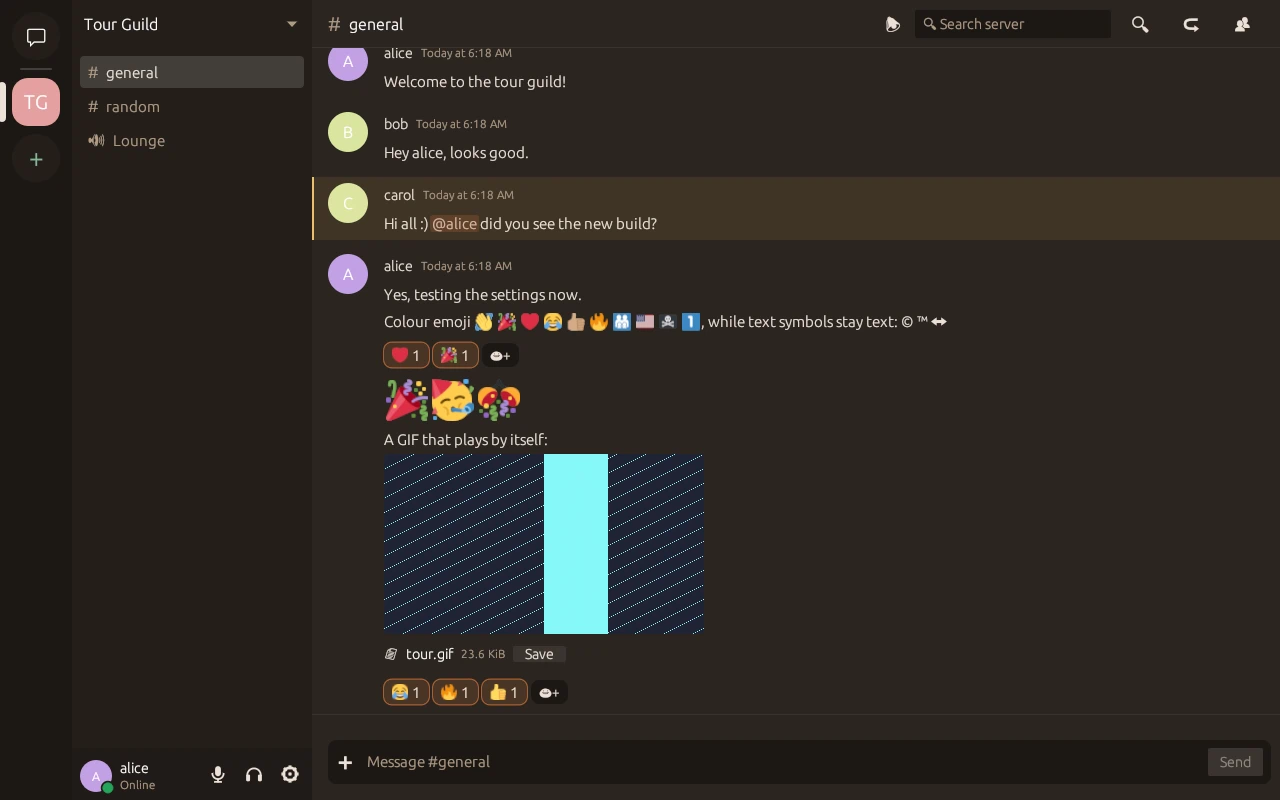
Threads with replies, reactions, colour emoji and GIFs
@mentions and #channel pills with autocomplete
Images, files and videos (.mp4, .mov) with a player
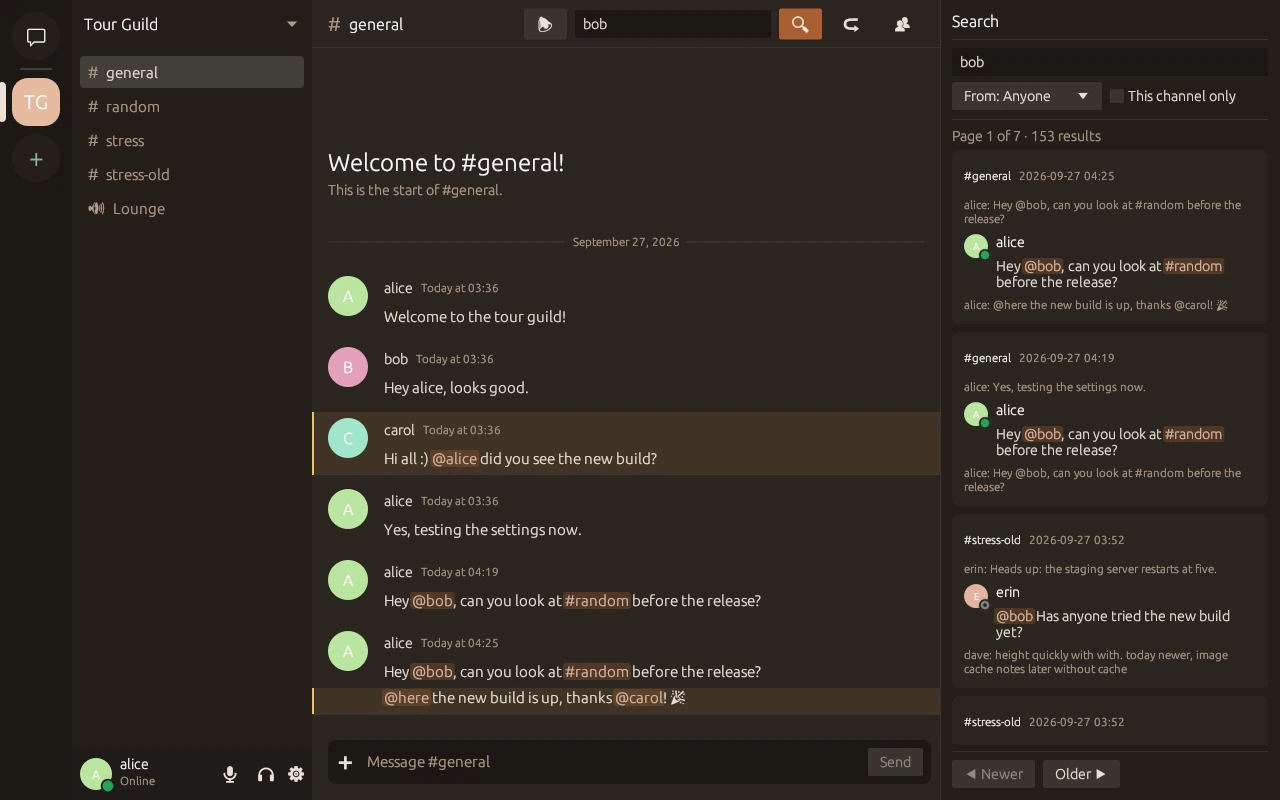
Full-text search that jumps to the message
Voice
Drop into a voice channel and talk. Clear audio, no fiddling.
Voice channels, and 1:1 DM calls that go peer to peer
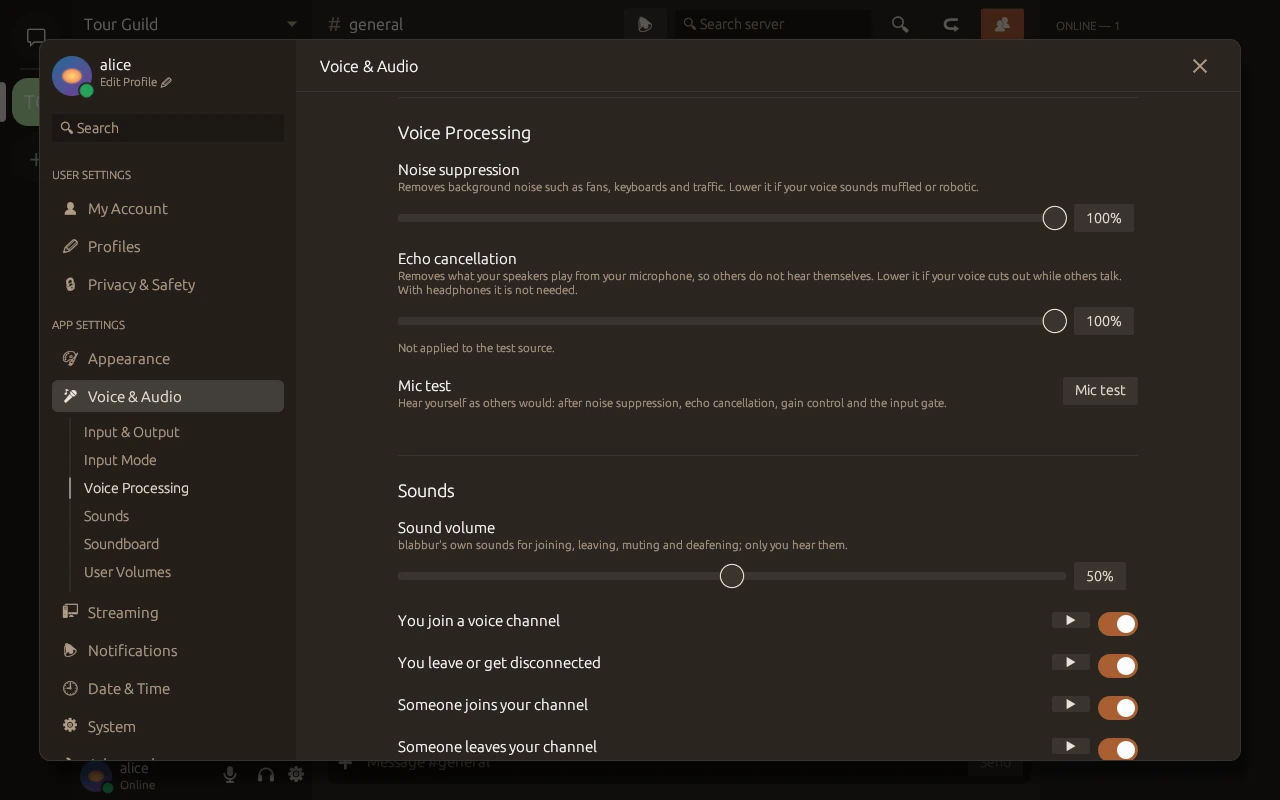
Noise suppression (RNNoise), echo cancellation and automatic gain control, built in
Push to talk
Turn each person up or down, from 0 to 200%
Screen sharing
Go Live from Windows with hardware encoding. Friends watch on Windows, macOS or Linux.
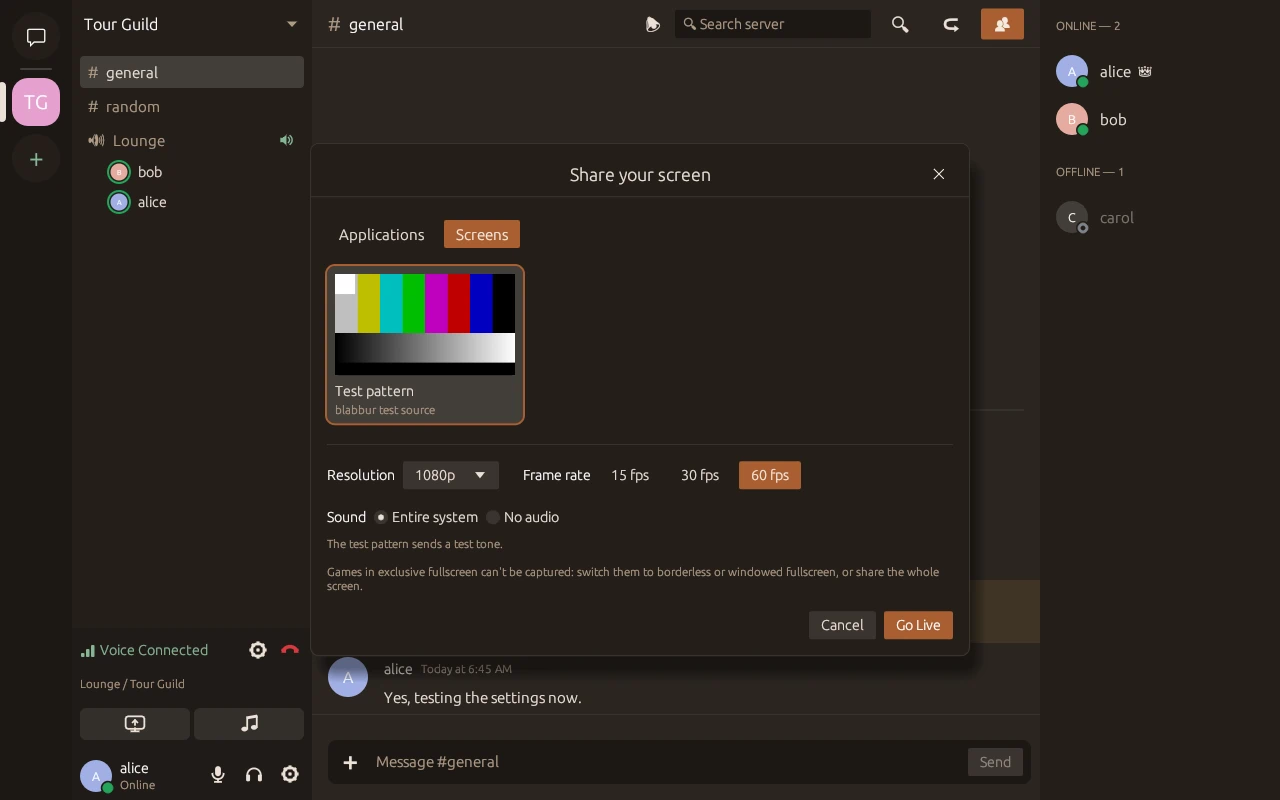
Share one window or a whole screen
From 720p up to source resolution, at up to 60 fps
Stream the app's sound, the whole system, or none
Nothing downloads until you click Watch
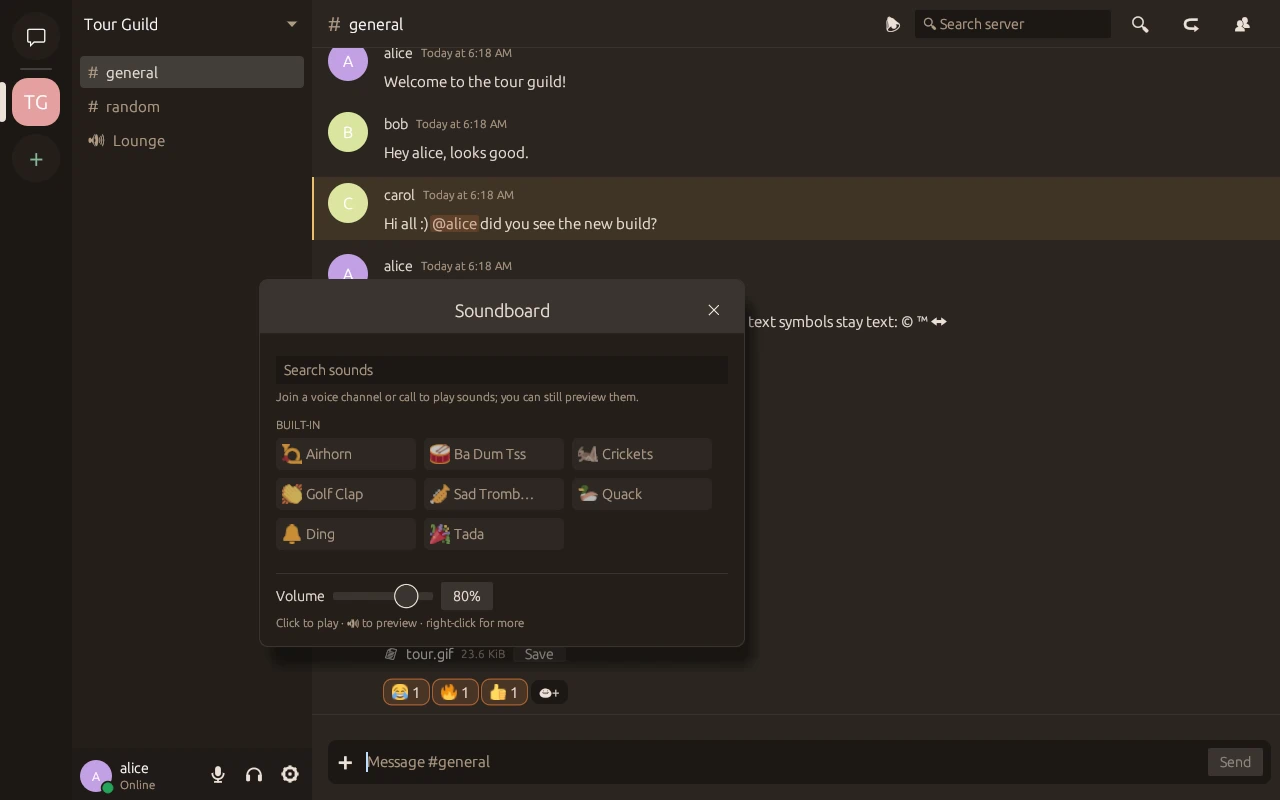
Soundboard
An airhorn at exactly the right moment. Everyone in the call hears it.
Built-in sounds, from Airhorn to Sad Trombone
Add your server's own custom sounds
Preview before you play, with its own volume
Private and self-hosted
Your group's messages live on your own server, not on someone else's.
One friend runs the server; everyone else just installs the app
HTTPS on every server; voice and streams are encrypted in transit
Sign-ups are invite-only by default
No ads, no analytics, no telemetry
Themes
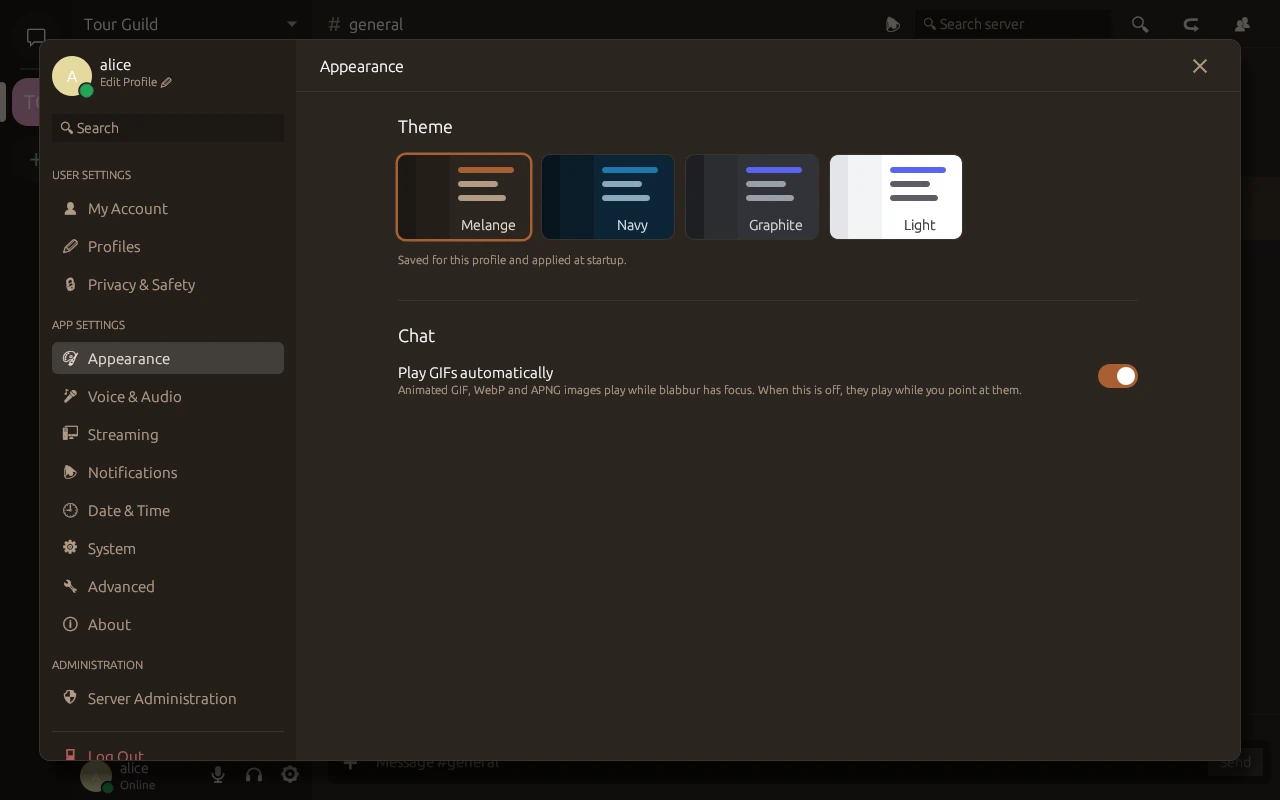
Warm Melange by default, plus three more. The one on this page is Melange.
MelangeNavyGraphiteLight
The four themes are Melange, Navy, Graphite and Light.
And the rest you'd expect
Direct messages
DMs and group DMs of 3 to 10 people, and blocking when you need it.
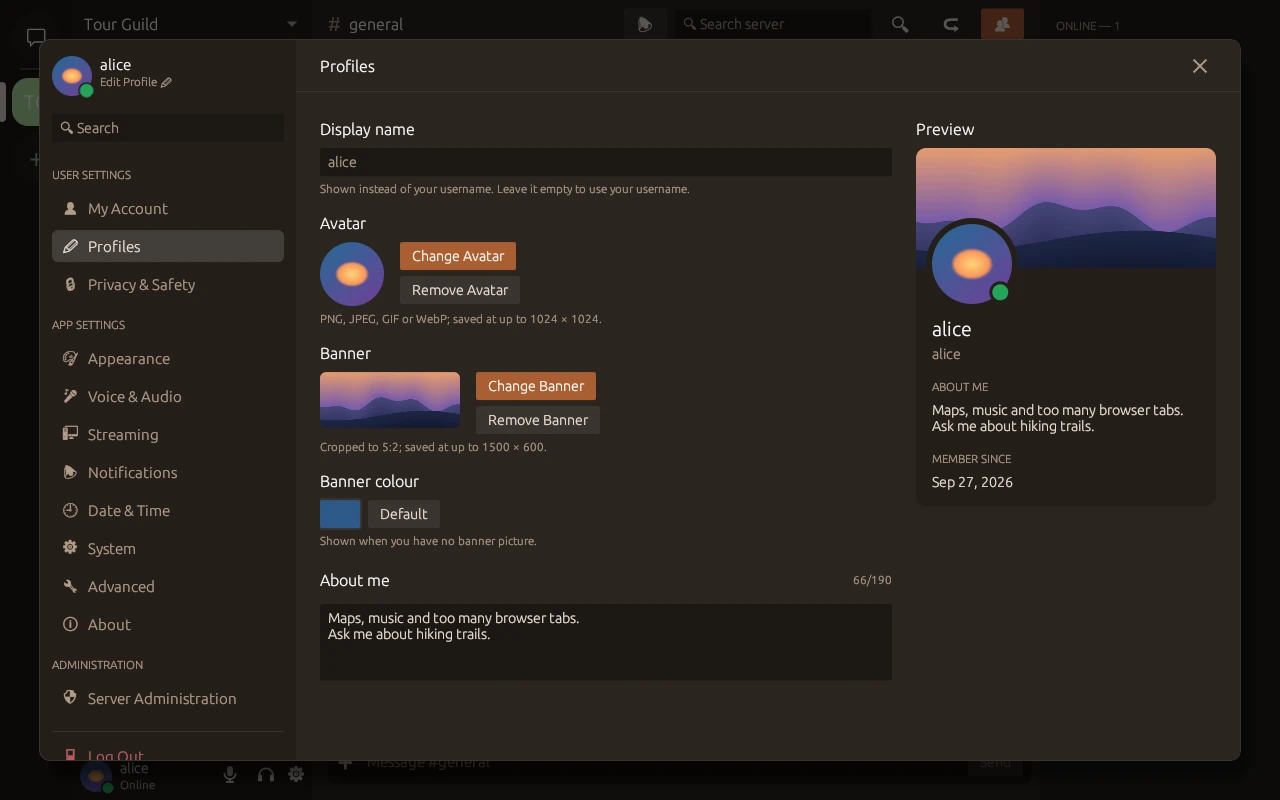
Profiles
Avatars, banners and a bio, so friends know it's you.
Presence and notifications
Typing indicators, online, idle and do-not-disturb, desktop notifications for DMs and mentions, and closing to the system tray.
Updates itself
The app updates from your server. Installers are signed, and on Windows they're Authenticode-signed.
Admin tools
An admin dashboard, an audit log and bans, for whoever runs the server.
Built for big channels
Large channels scroll smoothly, and search finds the one message you meant.
How joining works
Three steps, and you're in
Every blabbur server belongs to someone in your group. They send you an invite; you bring yourself.
Get an invite
Ask the friend who runs your blabbur server for an invite.
Install blabbur
Download the app for Windows, macOS or Linux. It keeps itself up to date after that.
Sign up with the invite
Choose a username and password, use your invite, and say hi.
Coming soon: invite links that open the app in one click.
Screenshots
See it for real
Straight from the desktop app, in its default Melange theme. Select one to see it full size.
Chat and search. Mentions and channel links show as pills, and search jumps to the message.
Emoji, reactions and GIFs. Colour emoji everywhere, and GIFs play right in the chat.
Go Live. Pick a window or a screen, then the resolution, frame rate and sound.
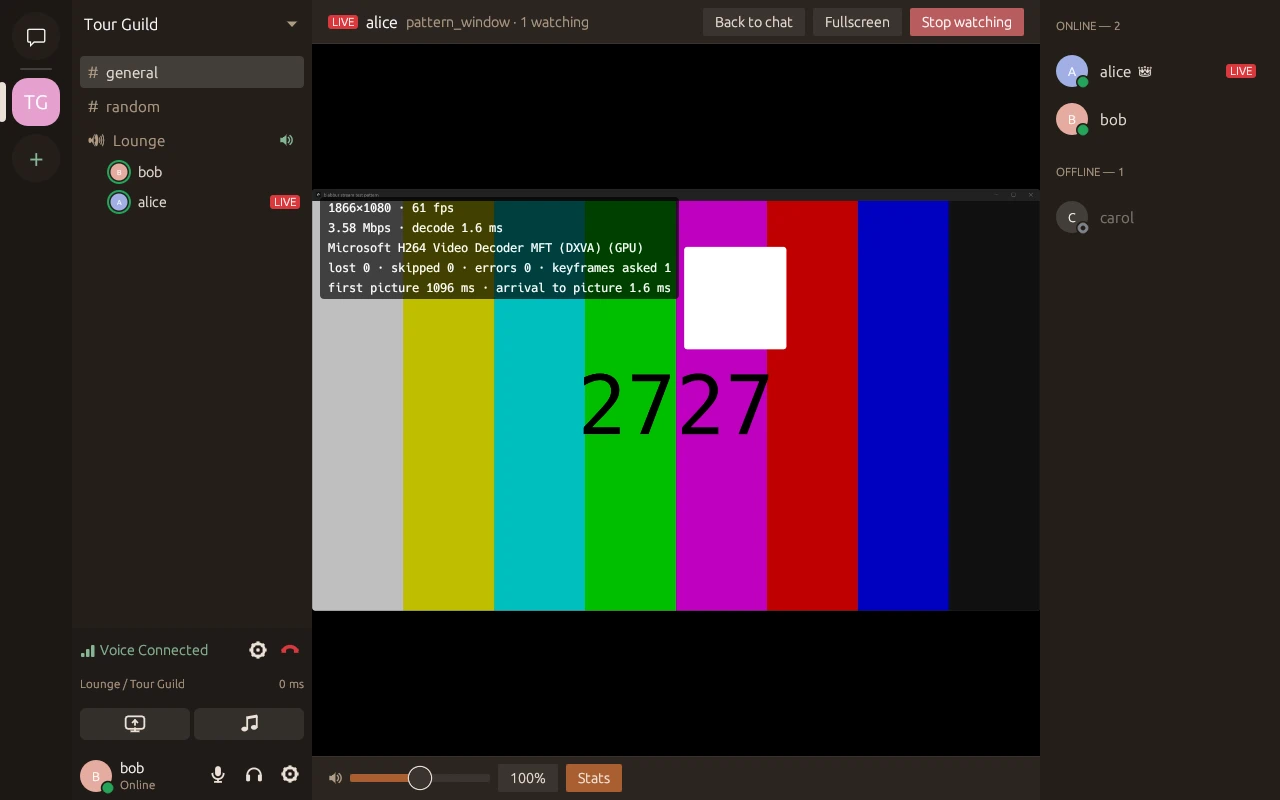
Watching a stream. It takes the chat's place, with its own volume and fullscreen.
Soundboard. Built-in sounds, and your server's own.
Voice processing. Noise suppression and echo cancellation, with a mic test.
Profiles. An avatar, a banner and a few words about you.
Themes. Melange, Navy, Graphite and Light.
For the one who runs it
Run your own server
A blabbur server is a single Docker Compose stack: the server and PostgreSQL. Any Linux box with Docker will do.
HTTPS out of the box, and invite-only sign-ups by default.
Two ports: one for the app and one for voice and streams.
Your friends' apps download their updates from it.
Admin tools in the app, and a backup script in the bundle.
The setup guide comes with the server bundle.
your-server: ~/blabbur
# in the server bundle's folder$ sh init-env.sh 192.168.1.20 # your server's address$ docker compose up -d --wait
$ curl -fsSk https://127.0.0.1:7880/ready # ready when this answers
7880/tcp · HTTPS7881/udp · voicePostgreSQL 16
Coming soon
Phones are coming
blabbur for iPhone and Android is on the way, iPhone first through TestFlight. Invite links will open the app in one click, and notifications will reach your phone.




 2
2


 3
3